
Carbide Copper is CAM software that lets you mill PCBs with your CNC machine.
Build prototypes the same day, skip board-house delays, and keep the whole process in your own shop.
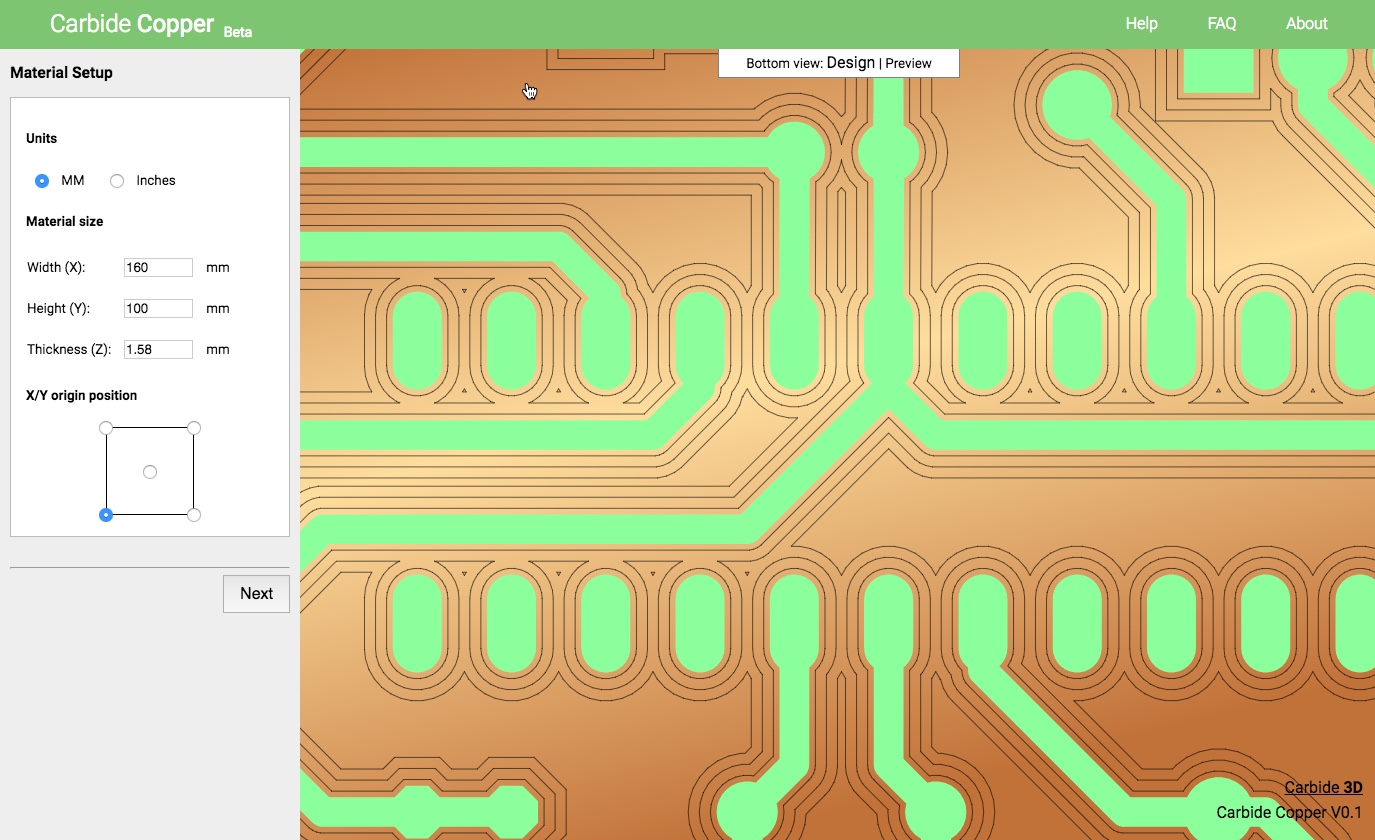
Carbide Copper is built for quick iteration in a real shop environment. Design a board, generate toolpaths, and start cutting without chemicals, shipping delays, or minimum orders.
With Carbide Copper and your CNC machine, you'll be able to go from design to prototype PCBs within the hour.
By creating your PCB with Carbide Copper, you'll pay only the material costs for the boards you make. No minimum order quantities. No shipping charges.
Being able to create a new board revision each day dramatically shortens the path from concept to working hardware.
Carbide Copper is free to use for everyone. We made it for our Nomad Pro CNC machine, but owners of other CNC machines are welcome to use it as well. If you already have a CNC machine, you can start using Carbide Copper now. If not, take a look at the Nomad.
Open Carbide Copper in your browser and start generating PCB toolpaths right away.
Carbide Copper is free to use for everyone. We make Carbide Copper available primarily for our users, but we welcome everyone to use it.
We have no plans to close it up to only Carbide 3D customers. We want it to be free to use for the long term.
Carbide Copper outputs very basic G-code so it should work with almost any CNC machine that uses G-code.
Carbide Copper will open Gerber RS247X format files and Excellon drill files. Every program outputs a slightly different version of the file so it’s conceivable that it will not work with all PCB software. We’ve tested it with Eagle extensively and are committed to making it work with all popular PCB software.
A custom tool library is on the to-do list for a future release. We think that will add a ton of value, but it’s not something we were able to get done at launch.
Carbide Copper is a cloud app that runs from our website. We will make a downloadable version available in the future for owners of Carbide 3D machines.
The G-code from Carbide Copper is very basic, but some machines may need additional codes added or some lines removed. We may add a way to do this in future releases, but that’s not available in the first release.
Support is available for Carbide 3D customers via email and phone, or in our forum.
We will offer a real two-side workflow in a future release.
Carbide Copper is a cloud-based app that runs on any machine with a modern browser, including macOS, Windows, and Linux.
We'll keep you up to date on new things in the world of Carbide 3D, and CNC in general.